How to Use PHP FormMail
This article explains how to use a PHP script called FormMail to process form submissions on a website. It provides step-by-step instructions for downloading and configuring the formmail.php script, setting the recipient email address, editing the HTML form's action attribute, uploading the files to a hosting directory, and testing the form.
Create a PHP Mail Form
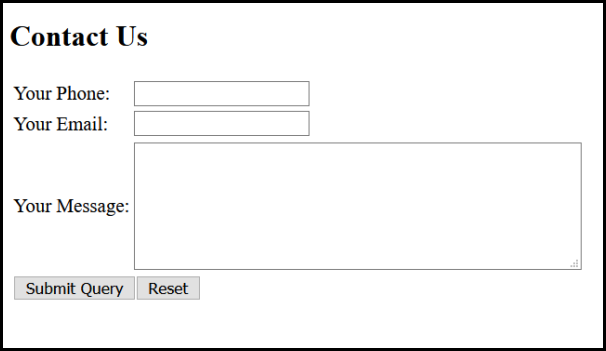
Create your form page in HTML like this. There is no limitation to your form design.
Step 1. Download the script Jack's FormMail.php, save it to a temporary directory on your computer, then unzip the files.
Step 2. Open the formmail.php file in a code editor application. Here we are using Notepad++. Then, change the value of the $recipient variable. Change the recipient address to the email address that the FormMail results will be sent to.
For Multiple Recipients seperate the email addresses with commas (",").

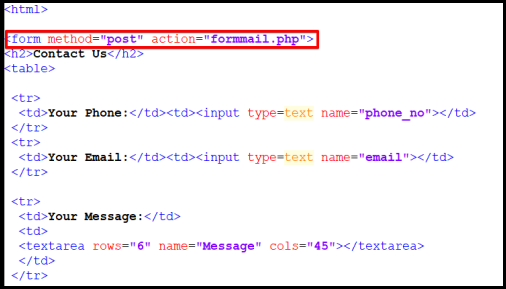
Step 3. Edit the HTML code of your form page (eg, contact.html) and define the FORM ACTION to execute the formmail.php script and make sure the FORM METHOD is POST.
Step 4. Upload the formmail.php script and form mail HTML file into the directory in which you are planning to use it. (eg, /public_html) within your hosting space.
Step 5. Test the php form mail, please go to http://www.yourdomain.com/contact.html, submit the form and check your email for results. Make sure to change the yourdomain.com to your domain name.