Knowledge Base
Categories: Linux Servers
How To View the Listening Ports in Linux VPS
You can view the listening ports in Linux VPS by following these steps:
| Step 1. | Open your VPS console from the Power Management control panel. |
| Step 2. | Log In to your VPS by entering your username and password. |
| Step 3. |
If you would like to allow users to upload files, add the following to the file:
|
| Step 4. |
To view the listening ports and services running on the respective ports use the following command:
|
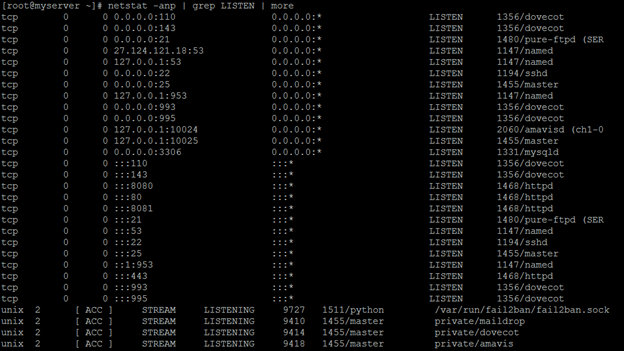 |
You can see now all the listening ports in Linux VPS.
Did you find this article helpful?